Prompt guard
prompt-bouncer
Stops vague prompts before Claude sees them and suggests the words your project actually uses, so you don't waste a turn on guesses.
A vague prompt costs a whole turn of Claude guessing, and a wrong guess stays in the context and sometimes in your files. prompt-bouncer checks every prompt the moment you press Enter. A bounced prompt never reaches the model, costs no tokens, and goes back in the prompt box for you to fix.
What it does
There are two modes.
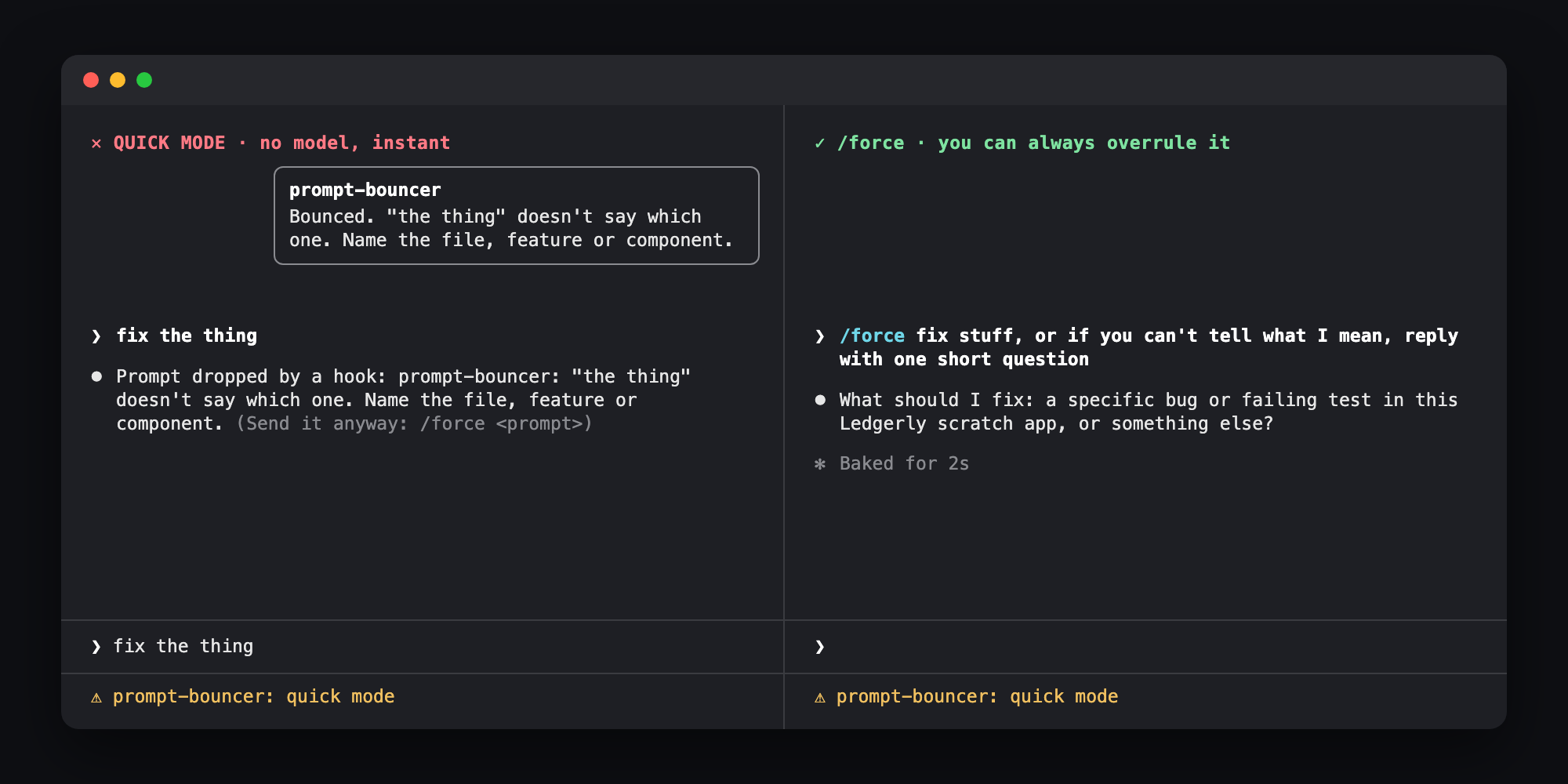
- Quick mode is the default. It uses no model and is instant. A short prompt that leans on "the thing", "stuff" or "that bug", or a bare "it" on the first prompt of a session, and names no file, feature or component, is bounced.
- Project mode reads the project's own docs (
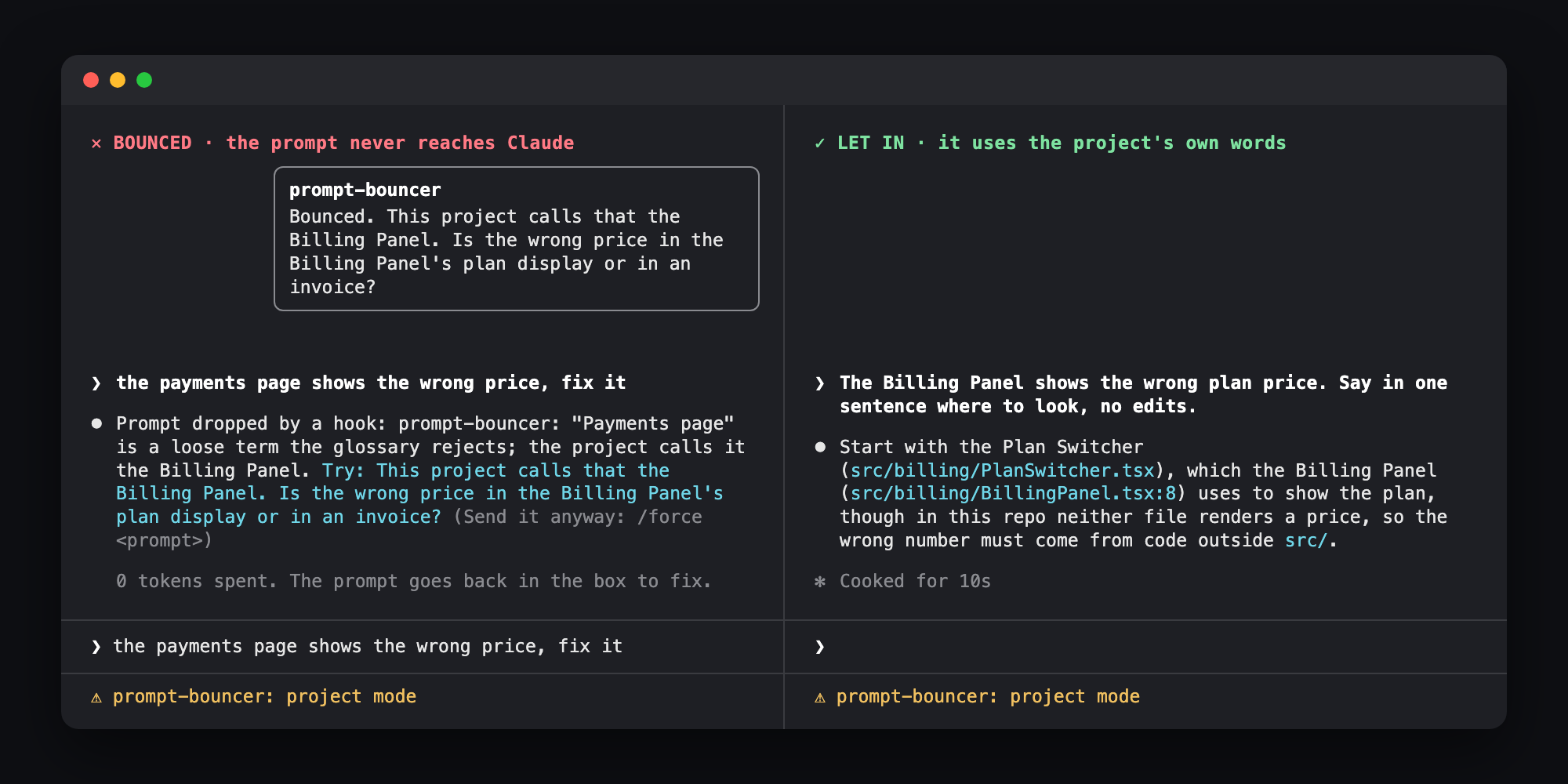
CLAUDE.md,docs/glossary.md, decision records, specs) and asks Haiku whether the prompt is specific and uses the project's terms. If not, the toast suggests the right one: "This project calls that the Billing Panel. Is the wrong price in the plan display or an invoice?"
It never sends anything to Claude itself. The reason and the suggestion are for you only.
Using it
Type as usual. A line under the prompt shows the mode it's in. A bounced prompt shows a toast, a Prompt dropped by a hook line in the transcript, and comes back in the prompt box.
/force <prompt>sends anything past it, as your own words, unchecked. Slash commands always pass./bouncershows the mode and which docs it found./bouncer quick,/bouncer projector/bouncer offswitch it for this session.- In
claude -p, a prompt starting with!passes too. In the interactive box!is shell mode, so use/forcethere.
The repo has a tiny invoicing app in example/ with a glossary (Billing Panel, Plan Switcher, Dunning Run, Seat Ledger). Switch to /bouncer project there and try the payments page shows the wrong price, fix it against The Billing Panel shows the wrong plan price.
Settings
mode:quick(default) orproject.PROMPT_BOUNCER_MODE=project claudeoverrides it for one session.docs: the files project mode reads, comma separated. A*matches file names inside one folder.maxDocChars(20000): docs past this are cut, so the check stays cheap.
How it works
One hook on prompt.submit judges prompts a person typed. Quick mode is a few regular expressions looking for a vague phrase with nothing concrete named (a path, code in backticks, CamelCase, a Capitalized Name). Prompts over 15 words pass.
Project mode reads the docs fresh with $.fs on every prompt, then makes one $.model.complete call to Haiku with the docs as a cached prefix. Haiku answers with a pass, or a reason and a suggestion. A glossary with a "Not" column of loose words works best. Nothing is stored.
To bounce, the hook returns { drop: reason }, so the prompt never enters the session. It fails open: if the hook throws, Haiku is down or its answer isn't JSON, the prompt goes through. A broken bouncer should never lock you out.
Limits
- Project mode adds a few seconds to each prompt. Quick mode adds nothing.
- Haiku is judging, so expect the odd miss or the odd bounce you disagree with. That's what
/forceis for. - Quick mode is English only, and its word lists are short.
docspatterns support*inside one folder, not**./bouncerswitches last for the session and reset if the mod reloads.