Verification
What a hook is, and why it beats a line in your CLAUDE.md
A hook is a shell command Claude Code runs for you when a named event fires. The agent does not choose whether it runs. It runs.
 Ray Amjad
On this page
You write it once in settings.json, and from then on it runs. That is the
whole feature. The rest of this post is why it matters and what one looks like.
The problem hooks fix
You spend four minutes reviewing a change. The type check would have killed it in four seconds. You went first.
Look at the last ten things you sent back to an agent. Most of them were not judgement calls. They were a failing test, a lint error, a type it got wrong.
A machine could have caught every one, and a machine is cheaper to annoy than you are.
Why a line in CLAUDE.md is not enough
A line in your CLAUDE.md that says "always run the tests" is a request. The model reads it, and it is honoured most of the time.
Most of the time is exactly the problem. You cannot tell the compliant runs from the others without checking, and checking is the work you were trying to avoid.
A hook is not read by the model. It is run by the harness. There is no compliant run and no other run. There is only the run.
What a hook looks like
A hook has three parts.
- An event.
PreToolUsefires before a tool runs.PostToolUsefires after it.Stopfires when the agent is about to say it is finished. - A matcher.
Edit|Writemeans "only when the agent touches a file".Bashmeans "only when it runs a command". - A command. Any shell command. It gets the tool call as JSON on stdin.
{
  "hooks": {
    "PostToolUse": [
      {
        "matcher": "Edit|Write",
        "hooks": [{ "type": "command", "command": "npm run lint:fix" }]
      }
    ]
  }
}
The exit code is the contract. Exit 0 and the agent carries on. Exit 2 and the harness refuses. Before a tool, that means the tool never runs. After an edit, it means whatever you wrote to stderr goes back to the agent as its next message.
That last part is the shift. When the check fails, the failure goes to the agent, not to you. The first version you ever see is one that already passes.
Two hooks are enough to start
Format and lint after every edit. A PostToolUse hook on Edit|Write
that runs your formatter. It is the boring one, and it deletes a whole category
of review comment on day one.
Block the destructive command. A PreToolUse hook on Bash that reads
the command from stdin and exits 2 when it sees rm -rf, git push --force,
or a migration against production. The agent never gets to run it. It gets
told no, and it gets told why.
Start with those two. Add a third when you catch yourself sending the same fix back twice.
Transcript
Okay, now let's go through a pretty important concept in Claude Code, which is the idea of hooks. This will be a high- level overview of what hooks are, why you should use them, some motivation behind them, and a couple other things. There will be more videos in this particular chapter about actually making hooks for different production workflows, but this video will be like a high-level overview.
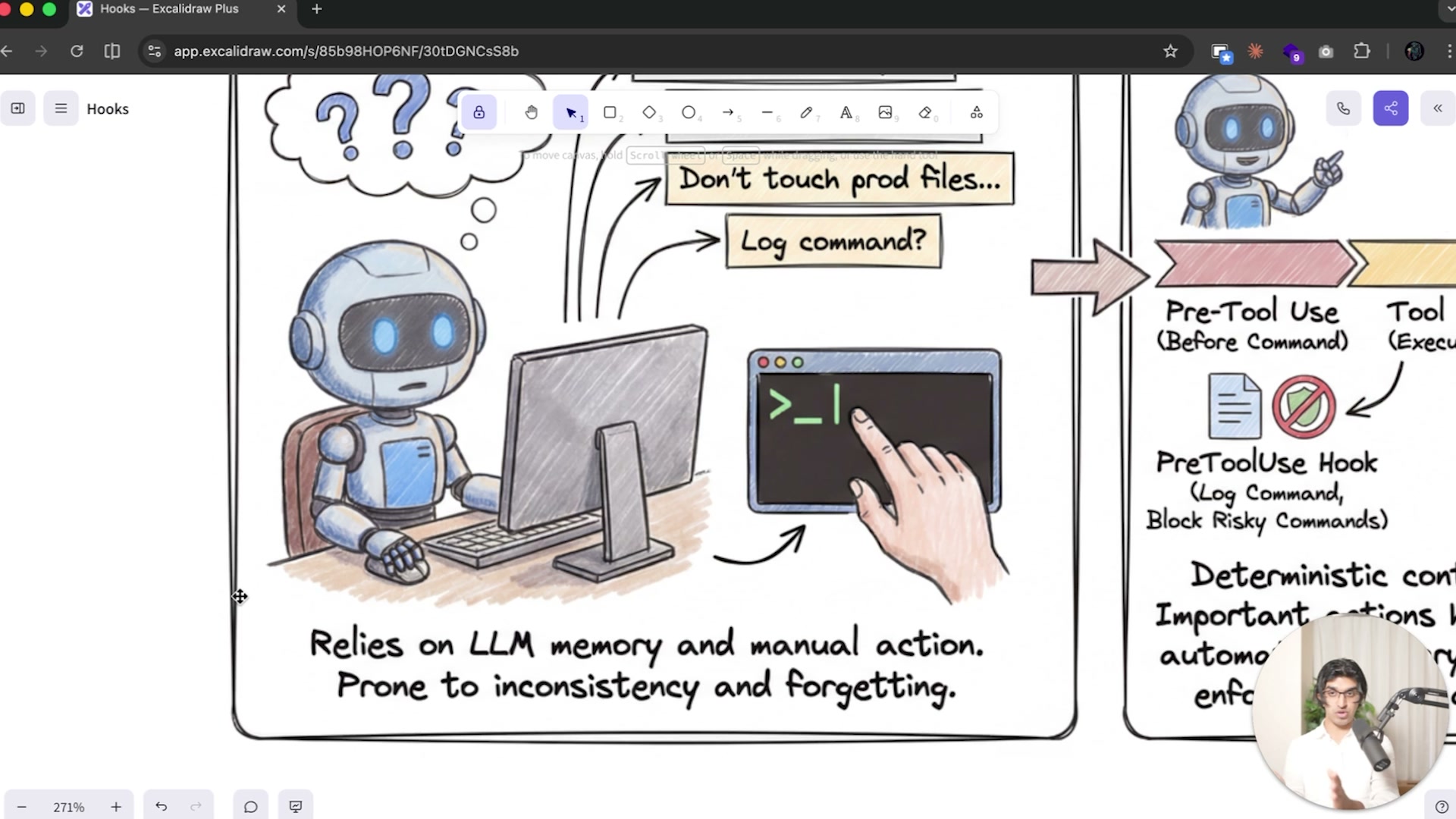
So before explaining what hooks are, I'll cover some default behavior of Claude Code. So essentially, when you're using Claude Code or another coding agent, you may want to remind the model to do particular things. So for example, you may want the model to like format code every time it makes edits to like any TypeScript or Python files. You may tell the model to never touch like a particular production files or never to run a particular command. You may also want to tell the model to log any commands that it's run or changes that it made for auditing reasons.
Essentially, there are a lot of things that you may want Claude Code to do at particular points of it actually executing on any plan that you've gave it. And what you would usually do before is you would just write this into your CLAUDE.md file. And this works like 90% of the time, but it's kind of weak in the sense it relies on the LLM, the model, to actually remember to execute on that. And sometimes a model can forget, firstly because it's just distracted by other things in the conversation. So you may notice that even though you told Claude Code to never touch a particular directory one in 10 times or one in 20 times, it actually ignores that command and then touches that particular directory. And that is basically because the CLAUDE.md file where you would add these reminders is prone to inconsistency and forgetting. And one of the reasons that this is is because firstly, the model is not that powerful yet. And secondly, Claude Code, in the default system prompts that the Anthropic engineers have written for Claude Code, is when they pass your CLAUDE.md file into Claude Code, it says IMPORTANT: this context may or may not be relevant to your tasks. You should not respond to this context unless it's highly relevant to your task. Now, there may be a couple reasons why the Anthropic engineers wrote this into Claude Code by default. I think that one of the reasons here is that many people just write really bad CLAUDE.md files, which can actually inhibit the ability of Claude Code to execute on tasks successfully. Which means that it's better that it ignores some things from the CLAUDE.md file and in some cases it may ignore a particular important thing that you told it to keep in mind. So, for example, in your CLAUDE.md file, you may have told Claude Code to never edit file X.md, for example. And then you may notice that Claude Code edits that particular file and before it decides to edit that file. So essentially over here it's calling a edit tool, because Claude Code has access to the read tool, edit tool, and a bunch of other tools that basically allow to complete operations such as searching through your computer or MCP tools. Just before Claude Code runs a edit tool on X.md, it has a life cycle. And in this lifecycle, we have a PreToolUse and a PostToolUse before it makes this edit. And at this PreToolUse stage, we can actually block this edit from happening. So we basically no longer have to rely on the CLAUDE.md file, which can be prone to inconsistencies in actually applying the instruction that you gave it. But if we did use a hook, basically we can remove this do not edit X.md and then we can add it to a PreToolUse hook. So this is a lifecycle. Claude wants to edit X.md and basically inside of Claude Code before it tries to make the edit, it uses the PreToolUse hook, and then the PreToolUse hook blocks the edit from happening. And this also means that your CLAUDE.md file can be shorter as well, because you're basically removing instructions from your CLAUDE.md file and injecting it at the relevant point of the conversation instead. And we can also use this PostToolUse hook as well. So, for example, if Claude Code decided to make an edit to Y.md, then we can make Claude Code automatically call a code prettier function after it makes an edit to that particular file, without having to add a reminder to the top of the CLAUDE.md, which may be prone to inconsistencies. So essentially, Claude Code has a lifecycle that we can inject particular commands into and remind us into. So a very basic view of the lifecycle is that we have a PreToolUse hook. So before Claude Code runs a command, then it will call this hook. And this hook can run any commands such as blocking edits from happening, adding reminders, and a few other things. Then we have the actual tool use itself, which can be like the read tool, edit tool, grep tool, any MCP tool. And then we have the PostToolUse hook. And this can be useful for when Claude Code makes an edit to a file, you can automatically run like a command such as prettier or like auto formatting or something to the file. So Every time a file is edited, it basically is like in a nice beautiful format. And then we have another hook as well. So we have the Stop hook when Claude Code has finished executing on a task, and we can hook into this part of the workflow and do something like sending us a desktop notification when the task has been completed. Now, some of the benefits here is that we get deterministic control, and important actions happen automatically every single time, because Claude Code within the code itself, it automatically calls the PreToolUse, PostToolUse, and Finished. Now, to explain this in a bit more detail, we would basically start a session with Claude Code, put in our prompt, and then Claude Code would go through its agentic loop, where the agentic loop is basically reading files, running bash commands, writing files and editing files. And this would repeat a number of times until Claude Code decides to stop and then the session ends. Now we have the PreToolUse before the tool runs, we have the PostToolUse, and this can be hooked into different scripts, for example, that we create ourselves. And we also have a PermissionRequest hook and a couple others. But let's focus on the PreToolUse and the PostToolUse. Now, essentially you can see I have Claude Code running and it's reading files, and every time it reads a file, it essentially called a tool. And I don't have any hooks here because you don't see it in the Claude Code UI, but I do have a hook set up for when it edits a file. So you will see that when it begins to edit a file. So for example, here it decided to edit a file and then it called the PostToolUse hook on the edit trigger. So this is what I set up in Claude Code. Let me just quickly show you what this looks like in the settings file. So essentially now with settings.json, we have a place for hooks, and we have our PostToolUse hook, of which we have two, and each hook has a matcher. So we could set this matcher to be all, which means that every time Claude Code runs any particular command, then this matcher would trigger and then the hook would trigger. Or we can just set it to Edit and Write instead. And then I have the hook itself for this particular matcher. So it runs a command, and then the command points to a file that I have written, which is the sync localizations python file. And then I have a timeout in the sense that if this command does not complete in 30 seconds, then it's automatically cancelled. And this is what it also looks like. So, for example, you could have a PreToolUse hook, you'd have a matcher and I'll be going through the matchers shortly. And then you would have a directory of different hooks that you can run, which can be commands or reminders or prompts to Claude Code. These are all the hook events that we can have hooks run on.
So we have SessionStart, PreToolUse, PostToolUse, PreCompact. So before Claude Code compacts, Stop when it finishes running all the commands, SubagentStop when a subagent stops, SessionEnd, Notification, PermissionRequest, and then UserPromptSubmit. We can have the hooks defined in a couple of different places. So our user settings.json, our project settings.json, or a local.json which is not committed. And we have gone through the settings.json before. And the pattern that hooks essentially follow is that we have a matcher, and the matcher can be referring to any tool, such as the Edit tool or the Write tool. We can ask Claude Code the tools that it has access to by saying what tools do you have access to?
Of which we have the Read tool, the Write tool, Edit, Glob, Bash, Task, TaskOutput, KillShell, and a bunch more over here. And now we can essentially do two different things with hooks. We can either have the hook run a command. So you can see over here I run this particular command where it runs this Python script, and in the command we can have a timeout. So if we expect the command to take quite a long time, for example, one minute, then we can set it to be one minute, the default timeout is actually 30 seconds.
Or we can have a prompt based hook where basically our prompt that we would define, such as evaluate this response, or can you check that all the TODOs have actually been completed and would be passed to a smaller lighter model, in this case Haiku, and that lighter model will make a decision and then return with structured JSON for the main session of Claude Code. And this is essentially what we have over here. So we can have a Stop hook. So when Claude Code finishes its agentic loop and decides to stop executing, we can basically pass in a hook kind of like this. So type prompt, Evaluate if Claude should stop, Check if all the tasks have been completed with a optional timeout, which is by default 30 seconds. And then the smaller lighter model will return with OK True, which basically allows Claude Code to stop, or OK False, which would prevent it to stop with a reason for its decision. So this can be useful in a number of cases. So for example, we can have Claude Code intelligently decide when to continue, because you may notice that Claude Code consistently stops too early. We can also have it evaluate whether a subagent has actually completed its task with the SubagentStop. For example, we can validate user prompts. So for example, we may say that user prompts should always address security related concerns, or user prompts should always specify some kind of JIRA ticket once a user has submitted all their prompts. And we can use it in like PreToolUse for context aware, permission handling or PermissionRequest.
So rather than us having to write a complicated script for permission requests, we can have a smaller model decide whether that permission should go ahead. So let's quickly go through a comparison. We have bash command hooks which are script driven. So this can be pretty handy for code-based decision logic. So for example, you could write a Python file which hooks into Claude Code, and that Python file can run pretty quickly because it may just be doing some pattern checks.
And then we have prompt-based hooks which are slightly slower because it requires an API call to an LLM, but they can be more context-aware of why exactly would Claude Code still want to be making that particular request? And we have a couple more comparisons here that you can read through. I'm sure that hooks will be evolving and you can learn more in the hooks reference file. But in the rest of this chapter we're going to be making hooks for our own workflows. And hopefully having an understanding of the motivation behind hooks allows you to make better hooks yourself. But we won't actually be reading through the hooks reference file ourselves because it's pretty long when it comes to making a hook. We will get Claude Code to make hooks for us. So before ending the video I'll go through a really quick hook example. So I often get Claude Code to run Supabase commands. So for example, it would run like supabase migration up, which would like apply any migrations locally to my local version of Supabase. But there's also a more dangerous command which is Supabase DB push and I told Claude Code to never run this command in my CLAUDE.md file, but in some cases it tries to run the command like one in every 50 times, which can be quite dangerous because I want to run this command myself. So this is a perfect example for a hook and I'm going to tell Claude Code to make that for me. You want to tag the Claude Code docs subagent by doing @claude-code and there will be a subagent called Agent Claude Code Guide.
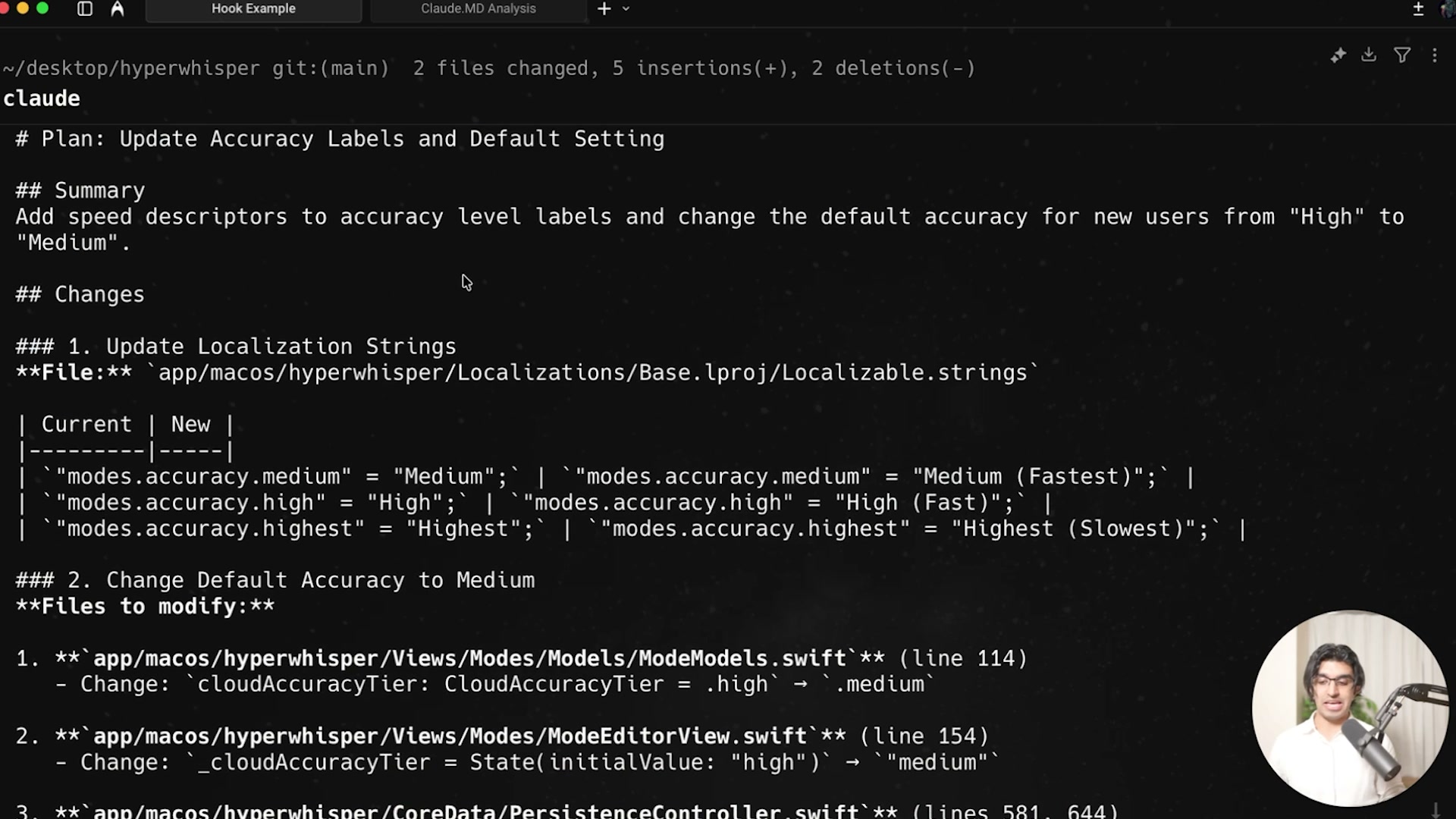
Press enter on this and then we can say can you write a hook, incorporate it into a project, which basically prevents Claude Code from running the Supabase DB push command and then press Enter. And now it will look through the docs to find the relevant part about hooks and then make that hook for us. So you can see it's finding the hook related information from the Claude Code docs map. And now it's written a script for us which is block_ supabase_push.sh. And what the script does is it reads through the input, extracts a command being executed, and then it does a like regex and then it basically checks whether it includes Supabase DB push. And if it does, then it will block the command and exit with two, otherwise it will allow all other commands. So we can press Enter to create that script for us and it's going to make the script executable. And as we expected, this is a PreToolUse hook. So Claude Code automatically identified where this hook should belong, and now it's doing a quick test of the hook to make sure it works correctly. And it seems to be working. So for example, it ran an LS command that did not get blocked and then it ran the Supabase DB push command as an example, like not actually running the command, but just passing that information into the script. But yeah, it's basically better to get Claude Code to make the hook because it will make it, test it and do all that. We can also say, can you use the Exa MCP server to find any other dangerous Supabase commands that would affect production, and then block those commands in the same script as well? And that will basically find more dangerous commands for us to prevent those commands from ever running with Claude Code.
Because I still want to run Supabase commands locally on my machine for the local version of Supabase, but I never want it to touch the production version of Supabase. And now this is great because I don't actually have to specify this in my CLAUDE.md file and risk Claude forgetting about this. And I can basically be more confident that Claude Code will not run any dangerous commands one in every 20 times or something. We will be going through more examples of making hooks as well, both simple hooks and more complicated hooks. So basically, with an appreciation for why hooks exist, hopefully you can identify any parts in your workflow which require more deterministic control from Claude Code, or require more safety, or basically require reminders for Claude Code as well, and then create hooks around them.
Get the next one
One email when something new goes up. No drip sequence, and nothing you have to unsubscribe from twice.